Stitching Window
Options for automatically and manually aligning overlapping 2D and 3D tiled images and then stitching the result into a single high-resolution image are available in the Stitcher panel, which appears in a contextual window that provides a large display area for previewing the results of stitching operations.
Right-click the dataset with the image files that you need to stitch in the Data Properties and Settings panel and then choose Image Stitching in the pop-up menu to open the Stitching contextual window, shown below.
Stitching window
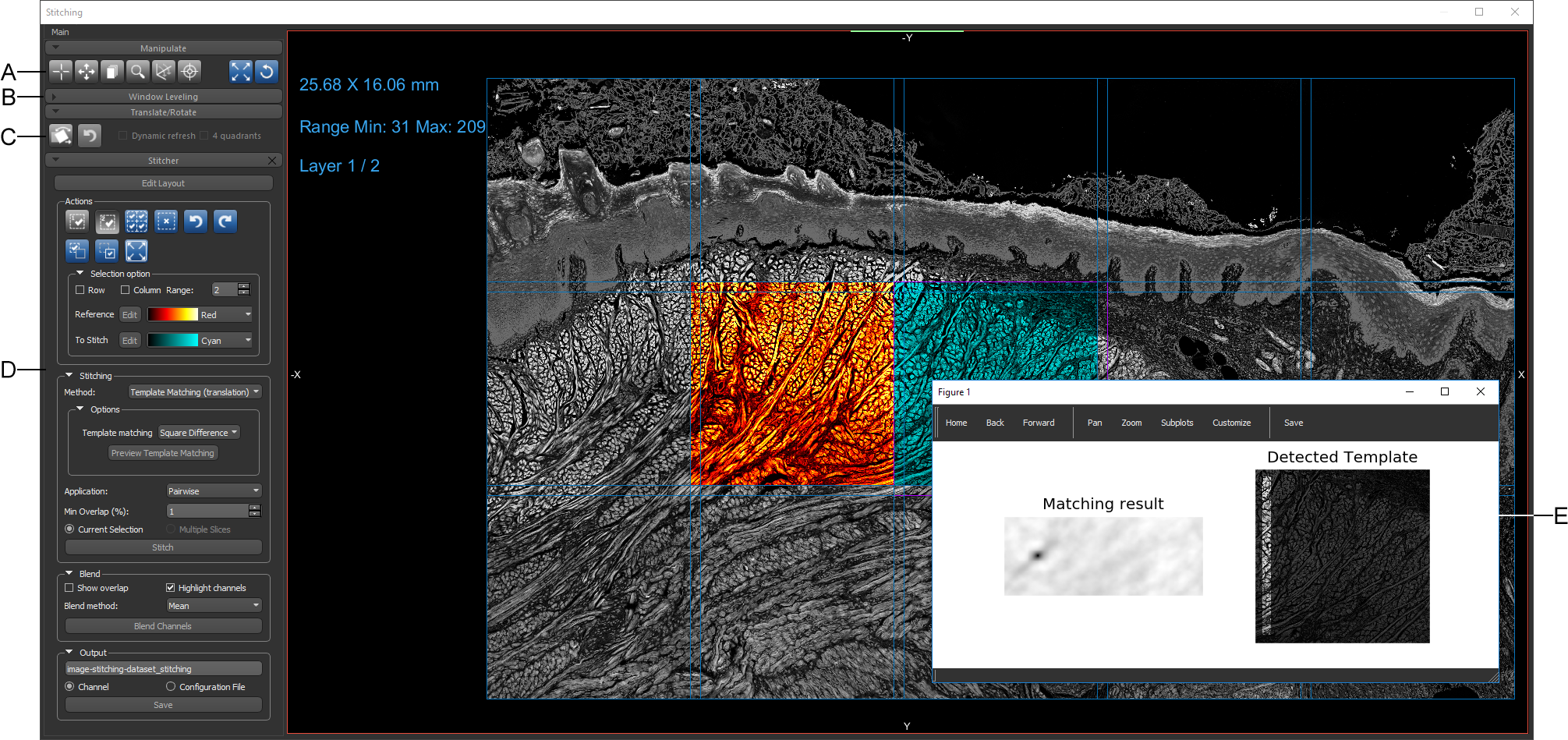
A. Manipulate panel B. Window Leveling panel C. Translate/Rotate panel D. Stitcher panel E. Preview window (for Feature Base and Template Matching methods)
 Manipulate Panel
The Manipulate panel provides the tools that you may need to manipulate the tiled images in the workspace. You can pan and zoom, as well as scroll through the layers of the tiled mosaic with these tools (see Using the Manipulate Tools).
Window Leveling Panel
You can adjust the window leveling of the currently selected image tile in the Window leveling panel (see Window Leveling).
You also adjust window leveling with the interactive text annotation (see ).
Translate/Rotate Panel
You can translate and rotate the currently selected image tile(s) with the Translate and Rotate tools (see Translating and Rotating Objects) to manually position image tiles within a mosaic.
Stitcher Panel
Options and controls for automatically and manually aligning overlapping 2D and 3D tiled images and stitching the result into a single high-resolution image are available in the Stitcher panel (see Stitcher Panel and Settings). Additional options let you blend overlapping regions to create a seamless result, as well as save a configuration file of the coordinates of each image tile in the stitched result.
Workspace
The workspace contains a view of the image tiles arranged in the selected grid layout. You can apply different LUTs to your Reference and To Stitch selections, as well as highlight the images that are contained within the mosaic.
Stitching workspace
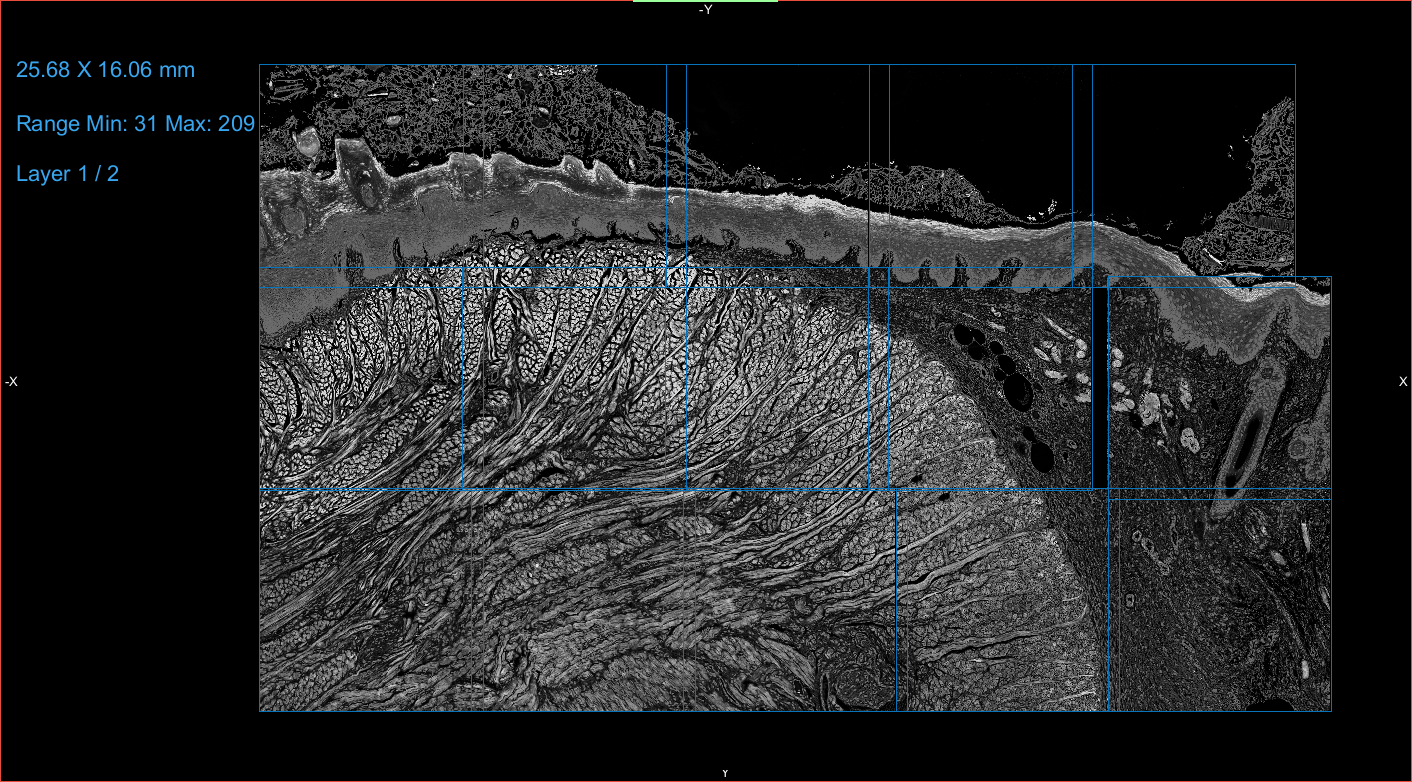
The text annotations available in the Image Stitching workspace let you adjust the zoom and window leveling settings, as well as scroll through the layers of the mosaic. See Selecting the Fonts Preferences for information about customizing the appearance of the text annotations.
| Description | |
|---|---|
| Zoom |
Indicates the current dimensions of the view, as calculated for the imported image data.
|
| Window Leveling |
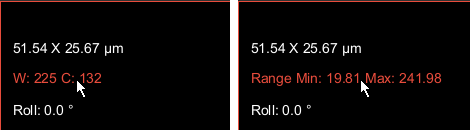
Indicates the current window leveling applied to the selected image tile. You can choose to display the window width (W) and window center value (C), as shown below on the left, or the minimum and maximum values of the selected range, as shown below on the right. These options are available as a preference (see Miscellaneous Preferences).
|
| Layer |
Indicates the current layer and the total number of layers.
|
 Preview Windows
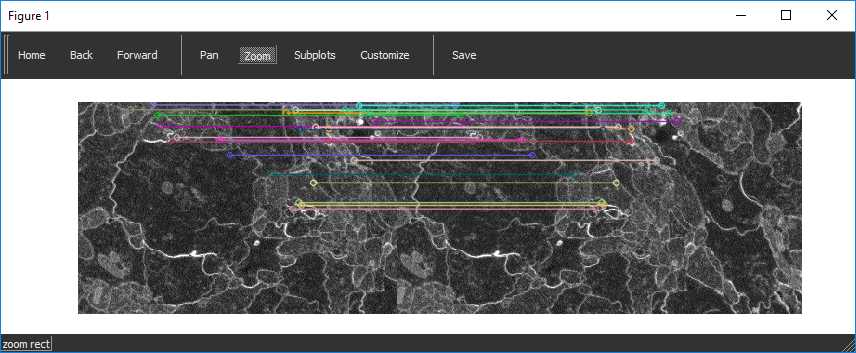
Preview windows are available for previewing and evaluating the Feature Base and Template Matching methods (see Feature Base and Template Matching). You can pan, zoom, and customize the window, as well as save the figure. The example below illustrates how the best matches within two overlapping images are mapped to each other in the Feature Base preview window.
Feature Base preview window